Pinterest Saves but No Clicks? How to Increase Your Pinterest CTR

This post may contains affiliate links. If you buy through them, I may earn a small commission at no extra cost to you. Read our full affiliate disclosure
Earnings disclaimer: the numbers in this post are my personal results. Your results will depend on your niche, account age, effort and many other factors. Read our full earnings disclaimer
You open Pinterest Analytics and the numbers look amazing. Thousands of impressions. Hundreds of saves. Then you check your website traffic, and almost nobody came.
I know that feeling well, because it’s happening on my own account at a much bigger scale. In the last 30 days, my pins were seen 84.5 million times and saved over 717,000 times. But they brought about 149,000 people to my website. That’s a click-through rate of roughly 0.18%.
In my last post, I showed how I grew my Pinterest account to 65 million monthly views (link to add). Growing reach was step one. This post is step two: turning those impressions and saves into real visitors.
I’m going to show you my real numbers, explain what Pinterest CTR actually means, share what I’ve learned from my own pins, and then walk you through a complete, step-by-step process to increase your CTR. Along the way, I’ll also share what other successful bloggers and Pinterest’s own guidance recommend, because I didn’t figure all of this out alone. I’ve learned a lot by testing, failing and studying how others do it.
My Pinterest analytics, Sep 21 – Oct 21, 2026: 84.5M impressions, 717K saves and 149K outbound clicks.

My Real Pinterest Numbers Right Now
Here’s exactly where my account stands as I write this.
| Period | Impressions | Saves | Outbound clicks | Outbound CTR |
|---|---|---|---|---|
| Last 30 days (Sep 21 – Oct 21, 2026) | 84.5 million | 717,000 | 149,000 | about 0.18% |
| Last 24 hours (Oct 20 – 21, 2026) | 3.8 million | 31,500 | 7,700 | about 0.20% |
Last 24 hours: 3.84M impressions and 7.69K outbound clicks in a single day.

Yes, my CTR is low. For every outbound click, almost five people saved a pin and moved on. But look at the last row of that table again: about 7,700 people visited my website from Pinterest in a single day.
Why I Don’t Regret a Low CTR
When your CTR is low at the start, it’s easy to feel like you’re doing everything wrong. I don’t see it that way, and I don’t want you to either.
When your reach is huge, even a low CTR brings a lot of visitors. A 0.2% CTR on 3.8 million daily impressions still means thousands of clicks every single day. And for me, those clicks turned into real income.
Here’s how my daily ad earnings changed in about three months:
| Period | Ad earnings | Visits | Average per day |
|---|---|---|---|
| August 2026 | about $110 | about 10,000 | about $4 |
| September 2026 | about $900 | about 53,000 | about $30 |
| October 1 – 20, 2026 | about $1,570 | about 86,000 | about $79 |
| October 15 – 20, 2026 | about $690 | about 36,000 | over $100 every day |
In August I was earning about $4 a day. Today I earn over $100 a day, every day, and my CTR is still only around 0.2%. You can see it for yourself in the screenshots below.
August 2026: about $113 from about 10,000 visits.

September 2026: about $900 from about 53,000 visits.

October 1–20, 2026: about $1,570 from about 86,000 visits, with over $100 a day since October 15.

My daily ad earnings for the last 7 days: over $100 a day since October 15.

So here’s the first lesson of this post: don’t panic if your CTR is low at the beginning. Reach comes first. But once you have reach, improving your CTR is the easiest way to multiply your traffic without needing a single extra impression. If my CTR moved from 0.2% to just 0.4%, my daily visitors would double. That’s what the rest of this guide is about.
What Is Pinterest CTR?
CTR stands for click-through rate. On Pinterest, it can mean two different things, and mixing them up causes a lot of confusion.
Pin click rate is how often people tap your pin to open it larger, inside Pinterest. They haven’t left Pinterest yet.
Outbound click rate is how often people click through from your pin to your website. This is the one that brings visitors to your blog, so it’s the one this guide focuses on.
Here’s the simple formula:
Using my last 30 days: 149,260 outbound clicks ÷ 84,500,000 impressions × 100 = about 0.18%. In other words, roughly 2 people out of every 1,000 who saw my pins visited my website.
Where to find your numbers
1. Open Pinterest on a computer and go to Analytics → Overview.
2. Set the date range to Last 30 days.
3. Note your Impressions, Saves and Outbound clicks.
4. Divide outbound clicks by impressions and multiply by 100.
Do this once now and write the number down. It’s your starting point, and everything you change from here on will be measured against it.
What Is a Good Pinterest CTR?
Pinterest doesn’t publish an official benchmark, but most marketers use similar ranges. A 2026 guide from PostEverywhere puts a typical outbound click rate between about 0.2% and 1.5%, depending on the niche, with recipe and home decor accounts usually at the higher end. The same guide treats a rate that stays below 0.1% as a sign that people see your pins but aren’t interested in clicking.
| Outbound CTR | What it usually means |
|---|---|
| Below 0.1% | Pins are seen but don’t give people a reason to visit |
| 0.1% – 0.3% | Average to low; easy wins are usually available |
| 0.3% – 0.5% | Healthy for most blogs |
| 0.5% – 1% and above | Strong; your pins and keywords match what people want |
My advice: aim for 0.3% to 1%. Treat these ranges as rough guides, not rules. A home decor account and a finance account will never have the same numbers, so the most useful comparison is always your own CTR this month versus last month.
Be Realistic: Better CTR Takes Months, Not Days
Before we get into the steps, I want to be honest with you, because most guides aren’t. Moving your CTR from around 0.1% to between 0.3% and 1% is not easy on today’s Pinterest.
Pinterest is now flooded with AI-generated images. Millions of pins look polished and pretty, so people scroll faster, save more and click less. Standing out is much harder than it was a few years ago.
From my experience, you need to work on it continuously for more than three months, and realistically closer to six months, posting every day, before your clicks really improve. There’s no overnight trick. But every small improvement adds up, and when your reach is big, even a 0.1% increase means thousands of extra visitors.
Why Your Pins Get Saves but No Clicks
A save means someone liked your idea. A click means they wanted more than the pin could give them. When saves are high and clicks are low, one or more of these reasons is usually behind it. The first two come straight from my own pins.
1. Your image has no text
In my experience, this is one of the biggest reasons. A beautiful image with no heading gets saved, but people don’t know there’s an article behind it. They save the picture and move on.
When I look at my own analytics, the pins that send real traffic almost always have a clear heading on the image, so people instantly know what they’ll find on my website.
2. Your content is purely aesthetic
Aesthetic pins, like a perfect room, a dreamy garden or a styled shelf, are made for saving, not clicking. People save them as inspiration and never visit. If your pin is only pretty, it will collect saves but very few clicks.
Pretty is good. Pretty plus a clear reason to visit is what brings traffic.
3. The pin already gives the whole answer
If your pin shows one finished living room, people can save the image and get everything they need without visiting your site. There’s nothing left to discover.
I came across a great example of this from a recipe creator whose pin had over 10,000 saves but fewer than 200 outbound clicks. The pin showed only the finished dish. She remade it with a clear text cue promising the full recipe plus one extra tip only found on her blog. The new pin got fewer saves, but over the next two months her outbound clicks rose to around 1,400. Fewer saves, many more visitors.
4. People are planning, not acting
Pinterest users save ideas for later, often weeks or months ahead. Seasonal pins especially get saved now and clicked later, closer to the holiday, so don’t judge a seasonal pin too early.
5. The text is hard to read on a phone
Most people browse Pinterest on mobile, where pins are small. Thin script fonts, low contrast or too many words make your heading unreadable. If people can’t read it in a second, they scroll past or just save the image.
6. Your impressions come from low-intent places
Impressions from search usually come from people looking for something specific. Impressions from the home feed or “more ideas” sections often come from people casually browsing. When reach grows fast, a bigger share comes from these placements and CTR drops. That’s exactly what happened during my account’s fastest growth.
7. Broad keywords bring browsers, not readers
Someone searching “fall decor” is often just looking for inspiration. Someone searching “cheap fall porch decor ideas for small spaces” has a specific problem and is much more likely to click for the answer.
8. The pin and the page don’t match
If your pin promises one thing and your post delivers something different, people learn to stop clicking your pins. Pinterest’s own team regularly tells creators that clear messaging, a relevant destination link and a strong call to action are what drive clicks.
How to Increase Your Pinterest CTR: A Step-by-Step Guide
Now for the practical part. These are the steps I follow and recommend, combining what I’ve learned on my own account with the methods other bloggers use and the advice Pinterest gives creators. Work through them in order.
Step 1: Audit your top pins first
Don’t start by making new pins. Start by finding out what’s already happening.
1. Go to Analytics → Top pins and set the date range to the last 30 or 90 days.
2. Sort by impressions and look at your top 20 pins.
3. For each pin, note impressions, saves, pin clicks and outbound clicks in a simple spreadsheet.
4. Calculate each pin’s outbound CTR.
Then sort your pins into three groups:
| Group | What you see | What it means |
|---|---|---|
| Savers | High saves, low outbound clicks | No text, purely aesthetic, or the pin gives everything away. Fix the image and heading. |
| Lookers | High pin clicks, low outbound clicks | People are curious but the title, description or link doesn’t pull them through. |
| Winners | Outbound CTR clearly above your average | You’ve found a style that works. Study it and make more like it. |
This audit tells you exactly where to spend your time. In my case, most of my “Savers” were pins without a heading or with a purely aesthetic photo, which is how I learned the lessons I’m sharing here.
Step 2: Put a heading with a twist on every pin
This is the single change that matters most in my experience. Every pin should carry your article’s heading on the image, and that heading should have a twist: a fresh angle that makes it different from the thousands of similar pins next to it.
• Plain: “Fall Porch Decor”
• Better: “Cheap Fall Porch Decor Ideas”
• With a twist: “15 Fall Porch Ideas Under $30 (No DIY Skills Needed)”


Ways to add a twist:
• A budget: “under $30,” “on a budget,” “using what you already own”
• A situation: “for small spaces,” “for renters,” “for beginners”
• A time: “in 10 minutes,” “this weekend,” “before Thanksgiving”
• A result: “that actually last,” “that guests always notice”
• A surprise: “the one swap that changes everything”
Keep the heading short enough to read in a second, usually 4 to 10 words. Tailwind’s design guide gives the same advice: a benefit-driven headline that answers “what’s in it for me?” and one clear message per pin.
Step 3: Design for clicks, not just saves
A pin designed only to look beautiful will mostly collect saves. A pin designed to make people curious will collect clicks. Here’s how to design for clicks:
• Show part of the idea, not all of it. Use a collage of three or four photos with a heading like “25 Cozy Fall Living Room Ideas.” People see a taste and know 21 more ideas are waiting on your blog.
• Use bold, simple fonts for the heading. Tailwind also notes that Pinterest’s visual search can’t read script fonts well, so keep decorative fonts for one or two accent words at most.
• Create contrast. Put text on a solid band, a soft overlay or a calm area of the photo.
• Place text carefully. Keep important text away from the bottom-right corner, where Pinterest places its own buttons in the feed.
• Use a tall, vertical pin. A 2:3 ratio (1000 × 1500 pixels) is the safest choice. Taller pins take more space in the feed, so more people notice them.
• Add your website name or logo small at the bottom. Pinterest recommends clear branding, and it tells people the pin leads to a real website.
• Test at phone size. Before publishing, zoom out until the pin is the size of a thumbnail. If you can’t read the heading instantly, neither can your audience.
Step 4: Give a visible reason to visit
People click when they know there’s something on your website that the pin doesn’t give them. Make that reason visible on the image itself, honestly:
• “Full list on the blog”
• “Step-by-step guide inside”
• “Free printable included”
• “Plus where to buy each item”
• “See all 25 ideas”
Only promise what your post actually delivers. Misleading text might get one click, but people won’t click your next pin, and it can hurt your account over time.
Step 5: Stand out from the AI-image flood
Because Pinterest is now full of polished AI images, the pins that look “too perfect” often blend in. What helps your pins stand out:
• Use real-looking photos with natural light and real homes, gardens or products.
• Keep a consistent style with the same fonts and colours, so returning visitors recognise your pins. One blogger who tested bold, clean pin designs against softer, whimsical ones found the bold style drew more attention and slightly more clicks, while the softer style still won on saves.
• Lead with information, not just beauty. Numbers, steps and prices make your pin look useful, not just decorative.
Step 6: Write titles and descriptions that support the click
Your image does most of the work, but your title and description help Pinterest show your pin to the right people and give readers one more reason to click.
Pin title formulas:
• Number + keyword + benefit: “15 Small Balcony Garden Ideas for Renters”
• How to + keyword + result: “How to Decorate a Small Porch for Fall on a Budget”
• Keyword + twist: “Fall Mantel Decor Ideas (Using Things You Already Own)”
• Problem + solution: “Pinterest Saves but No Clicks? 12 Fixes That Work”
A simple description template in two or three natural sentences:
• What it is: “Looking for cheap fall porch decor ideas?”
• What they’ll get: “These 15 budget-friendly looks use pumpkins, lanterns and thrifted finds, with easy steps for small porches.”
• Soft call to action: “See all 15 ideas and where to find each item on the blog.”
Use your main keyword in the first sentence and one or two related keywords naturally after that. Tailwind reports that descriptions of around 220 to 230 characters tend to perform best. Write for a person first, and skip the long lists of hashtags.
Step 7: Target keywords with clear intent
Some keywords bring browsers. Others bring readers. Look for keywords that include words like “ideas,” “how to,” “tips,” “DIY,” “for beginners,” “on a budget,” “checklist” or “printable.” These searchers expect to read or follow steps, so they’re much more likely to click.
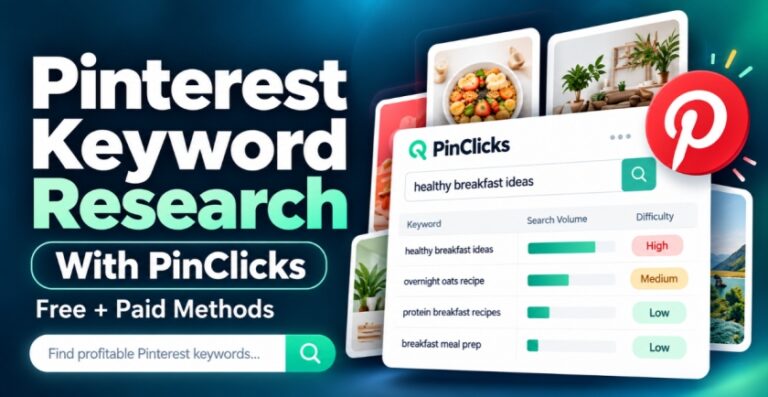
Here’s how I use PinClicks for this:
1. Type a broad keyword, like “fall porch decor.”
2. Look at the longer suggestions and related searches that appear.
3. Open the top-ranking pins for those searches and notice what their headings promise.
4. Pick the specific, intent-rich phrase and build your pin heading and title around it.
Step 8: Make your landing page match the pin
Your CTR isn’t only about the pin. If people click and immediately leave, they learn not to click your pins again. Make the click worth it:
• Use the same title on your post as on your pin, or very close to it.
• Put a matching image near the top of the post, so visitors know they’re in the right place.
• Deliver the promise early. If the pin says “15 ideas,” start the list quickly.
• Keep your site fast on mobile, and avoid pop-ups that block the page the moment someone arrives.
• Link to the exact post, never your homepage, and test your top pins every few weeks to make sure the links still work.
Step 9: Set up your account for trust
These one-time steps help your pins look more trustworthy and give clicks a small boost:
• Use a Pinterest business account so you get full analytics.
• Claim your website in Pinterest settings, so your pins show your site and profile.
• Enable Rich Pins for your articles. They pull your post title and description from your website automatically. Your site needs proper meta tags, which most SEO plugins add for you.
• Create a board for your own blog posts, named after your blog, so readers can find all your articles in one place.
Step 10: Test new pin versions the right way
If a post has a pin with lots of saves but few clicks, the topic is working, so the pin is the problem. Create two or three new designs for the same post and test them. Pinterest’s own advice for testing content is simple:
• Change one thing at a time, like the heading or the image, so you know what made the difference.
• Publish versions at the same time or in similar time periods.
• Put them on similar boards so the comparison is fair.
• Compare outbound clicks, not just saves or impressions.
Give each test at least two to four weeks before deciding, because pins often take time to gain traction. Then make more pins in the winning style.
Step 11: Post every day and stay consistent
Consistency is the part most people skip. Daily posting gives you more chances to test headings, learn what works and build trust with Pinterest. In my experience, this is what turns a three-month effort into a six-month result. You don’t need to post huge numbers. You need to show up every day with quality pins.
Step 12: Time seasonal pins early and be patient
Seasonal pins often get saves first and clicks later. Publish them two to three months before the event, and judge their clicks closer to the holiday, not in the first week. My free seasonal calendar shows when to start pinning for each season.
Pin Makeovers: From Saves to Clicks
It’s easier to see these ideas in action. Here are three examples of how the same topic can be turned from a “save and scroll” pin into a “click to read” pin. These are illustrations of the approach, so use them as templates for your own niche.
Example 1: Home decor
| Save-only pin | Click-worthy pin | |
|---|---|---|
| Image | One perfect, styled living room | Four smaller photos of different cozy corners |
| Text on image | None | “23 Cozy Fall Living Room Ideas That Cost Under $50” |
| Why it works | Nothing left to discover | A clear number, a budget twist, and 19 more ideas waiting on the blog |
Example 2: Gardening
| Save-only pin | Click-worthy pin | |
|---|---|---|
| Image | A dreamy flower bed at sunset | A simple raised bed with plants clearly visible |
| Text on image | “Garden Goals” | “What to Plant in October (Even in a Small Garden)” |
| Why it works | Pure inspiration, no next step | A practical question people need answered right now |
Example 3: Money and side hustles
| Save-only pin | Click-worthy pin | |
|---|---|---|
| Image | An aesthetic laptop and coffee flat lay | A clean image with real numbers and the key figure highlighted |
| Text on image | “Work From Home” | “How I Went From $4 to $100 a Day With Pinterest Traffic” |
| Why it works | Looks nice, says nothing | A specific result and a story people want to read |
Notice the pattern. Every click-worthy pin has a heading on the image, a twist that makes it different, and a promise that can only be fully answered on the website. That’s the formula I follow.
How Reach and CTR Work Together
It helps to understand why CTR usually drops when an account grows fast, so you don’t panic when it happens to you.
When your pins are new, Pinterest mostly shows them to people searching for that exact topic. These people are interested, so a bigger share of them click. As your pins perform well, Pinterest starts showing them to a much wider audience: in home feeds, in “more ideas” sections and to people who are only browsing. Your reach grows enormously, but many of these new viewers aren’t actively looking for an answer, so your CTR percentage falls.
That’s exactly what happened on my account. My reach jumped by tens of millions of impressions, and my CTR stayed around 0.2%. But because the reach was so much bigger, my total clicks still went up sharply.
So always look at two numbers together: your CTR and your total outbound clicks. If CTR drops slightly but total clicks rise, you’re moving in the right direction. If both drop, it’s time to fix your pins.
A 30-Day Plan to Start Improving Your CTR
Improving CTR takes months, but you can build the right habits in your first 30 days.
Week 1: Measure and diagnose
• Write down your impressions, saves, outbound clicks and CTR for the last 30 days.
• Audit your top 20 pins and sort them into Savers, Lookers and Winners.
• Pick the 5 posts whose pins get the most saves but the fewest clicks. These are your quickest wins.
Week 2: Redesign your quick wins
• Create two new pins for each of those 5 posts, each with a clear heading and a different twist.
• Add a visible reason to visit, like “full list on the blog.”
• Rewrite the titles and descriptions using the formulas above, and check every heading at phone size.
Week 3: Apply it to every new pin
• From now on, publish only pins with a heading on the image.
• Choose keywords with clear intent for each new pin.
• Check that each post’s title and first image match its pins.
• Keep posting every day, even when the results aren’t visible yet.
Week 4: Compare and learn
• Compare your new pins with your old ones. Which headings and styles got more outbound clicks?
• Make more pins in the style that worked best.
• Repeat this cycle every month. This is where the three-to-six-month improvement comes from.
What Not to Do
• Don’t post only aesthetic pins. People will save them and move on.
• Don’t publish pins without text if you want website traffic.
• Don’t use clickbait. Promising something your post doesn’t deliver leads to fewer clicks over time.
• Don’t change too many things at once. If you change the image, heading, keyword and description together, you won’t know what helped.
• Don’t judge pins after a few days. Give them weeks, especially seasonal ones.
• Don’t chase CTR at the cost of reach. A pin with a 2% CTR on 1,000 impressions sends fewer visitors than a pin with 0.3% CTR on 100,000 impressions. Total clicks are what matter.
How to Track Your Progress
Check your numbers once a week. Looking every day only causes stress, because Pinterest numbers naturally move up and down.
1. Open Pinterest Analytics and set the date range to the last 30 days.
2. Write down impressions, saves and outbound clicks, and calculate your CTR.
3. Check your top 10 pins and note which designs have the highest CTR.
4. Compare with the previous month, not the previous day.
A simple spreadsheet with these numbers each month is enough to see whether your changes are working.
My CTR Checklist
Use this before you publish your next pin:
• Does the pin have a clear heading on the image?
• Does the heading have a twist that makes it different from similar pins?
• Is there a visible reason to visit, beyond a pretty picture?
• Can I read the text instantly at phone size?
• Is it a tall 2:3 pin with my website name on it?
• Does the pin title start with the keyword and include a benefit?
• Does the description explain what’s in the post and end with an honest call to action?
• Is the keyword specific, with clear intent?
• Does the link go to the exact post, and does the post’s first screen match the pin?
Frequently Asked Questions
What is a good outbound click rate on Pinterest?
Most marketers consider roughly 0.2% to 1.5% typical, depending on the niche. Aim for 0.3% to 1%, and compare your own CTR month by month.
Why do my pins get saves but no clicks?
In my experience, the biggest reasons are pins without text and purely aesthetic content. People save the image and move on. Other common reasons are pins that give away the whole idea, hard-to-read text on mobile, broad keywords and impressions from casual browsing rather than search.
Is a low CTR bad?
Not if your reach is big. My CTR is around 0.2%, but with millions of daily impressions it still brings thousands of visitors a day and over $100 a day in ad earnings. Keep working on CTR, but don’t let a low number stop you.
How long does it take to improve Pinterest CTR?
From my experience, expect more than three months of daily posting, and closer to six months, before you see a real improvement across your account. Individual pins can improve faster.
Do AI images hurt Pinterest clicks?
Pinterest is now full of polished AI images, so people scroll and save faster. Pins that stand out with a clear heading, a fresh angle, real-looking photos and a reason to visit have a better chance of getting clicks.
Should I delete old pins with low CTR?
Usually, no. Old pins can still bring saves and occasional clicks. Instead, create fresh, better pins for the same posts and let the new versions do the work.
Do video pins get more clicks than image pins?
Video pins are often great for reach and saves, but people tend to watch them inside Pinterest. For website traffic, static image pins with a clear heading are usually more reliable.
Do saves matter if they don’t bring clicks?
Yes. Saves tell Pinterest people like your pin, which helps it reach more people, and saved pins can bring clicks later. But if saves never turn into clicks, the pin needs a stronger reason to visit.
Final Thoughts
High impressions and saves mean Pinterest likes your content. Low clicks simply mean your pins aren’t giving people a strong enough reason to visit yet, and that’s fixable.
My CTR is still low, and I’m not ashamed of it. With big reach, it already brings thousands of visitors and over $100 a day. Now my goal is to push it toward 0.3% to 1%, and I know that takes months of daily work: a heading with a twist on every pin, fewer purely aesthetic pins, a visible reason to click, and a landing page that keeps the promise.
Start with your audit this week. Fix your top five “Saver” pins. Then keep going every day.
If you haven’t grown your reach yet, start with How to Grow on Pinterest Fast: The Strategy Behind My 65M Monthly Views (link to add). And if you want my full growth system, including my own trend method and daily routine, it’s all in my Playbook.
Save this post to your Pinterest board so you have the checklist ready the next time you design a pin.